



Load Balancing NiFi the Right Way: Fixing Bottlenecks Before They Slow Down Your Business

In today’s fast-paced, data-driven world, every second counts. Enterprises are generating massive volumes of data, from IoT sensors and application logs to real-time customer interactions, and the ability to move, process, and act on that data instantly can be the difference between staying ahead or falling behind.
Apache NiFi is a powerhouse for orchestrating data flows, offering flexible routing, transformation, and system integration. But even the most robust NiFi deployments can hit a wall if data isn’t distributed efficiently. Bottlenecks silently creep in, slowing flows, causing back pressure, and ultimately impacting business-critical operations.
In this blog, we’ll uncover how to load balance NiFi the right way, tackle bottlenecks before they disrupt your business, and leverage DFM 2.0’s AI-driven intelligence to keep your data flowing smoothly.
Understanding Load in Apache NiFi
Apache NiFi is built to handle high-volume, real-time data movement with a flow-based architecture designed for flexibility and scalability. At its core, NiFi processes FlowFiles, which are discrete units of data that move through processors, queues, and connections, each step potentially impacting overall performance.
When it comes to load management, there are three critical aspects to understand:
- FlowFile Processing & Queues: Every processor in NiFi handles FlowFiles at a certain rate. If incoming FlowFiles arrive faster than they can be processed, queues start to build up, creating hotspots that can throttle the entire flow.
- Back Pressure: NiFi’s built-in back pressure mechanism prevents processors from being overwhelmed by automatically slowing incoming data once queues reach configured thresholds. While this protects system stability, it can also introduce processing delays if not monitored carefully.
- Throughput vs. Latency: Scaling flows with more parallelism can boost throughput, but it may also increase latency if queues grow unevenly. Striking the right balance is essential for maintaining predictable and efficient data flow.
Common Causes of Bottlenecks in NiFi
Even carefully designed NiFi deployments can encounter bottlenecks if underlying flows and infrastructure are not optimized. Understanding the root causes is key to preventing performance slowdowns.
1. Inefficient Processor Usage
Processors that perform heavy transformations, such as ExecuteScript, QueryRecord, or complex custom scripts, can saturate CPU resources. When a single processor becomes overloaded, it can slow the entire flow, creating a domino effect across the data pipeline.
2. Uneven Data Distribution
In clustered NiFi environments, uneven load distribution can create a “hot node”, where one node handles significantly more FlowFiles than others. This imbalance leads to queue build-up and delays, reducing overall cluster efficiency.
3. Improper Connection Configuration
Queue settings, prioritizers, and processor scheduling have a direct impact on flow performance. Default configurations often fail under production workloads, causing back pressure or idle processors that waste resources.
4. External System Dependencies
NiFi flows often rely on external systems like databases, APIs, or message brokers. If these systems are slow or intermittent, delays propagate back into NiFi, creating bottlenecks that are outside the platform’s control.
5. Resource Limitations
Node-level constraints such as disk I/O, memory allocation, and network bandwidth can throttle NiFi’s ability to process FlowFiles. Under-provisioned hardware or virtualized nodes struggle under high-volume loads, affecting overall throughput.
Load Balancing Strategies for NiFi
Proper load balancing is essential to ensure NiFi flows remain efficient, predictable, and scalable. By combining smart architecture with optimized configuration, organizations can prevent bottlenecks and maximize throughput.
1. Clustered NiFi Deployment
NiFi supports horizontal scaling through clustering, where multiple nodes share the processing workload. A well-designed cluster ensures no single node becomes a hotspot, distributing FlowFiles evenly and maintaining high throughput across the system. Clustering also provides resilience, as nodes can fail without disrupting the overall flow.
Also Read: How to Set Up NiFi Cluster for High Availability and Fault Tolerance
2. Site-to-Site (S2S) Communication
The Site-to-Site (S2S) protocol allows NiFi nodes and clusters to transfer FlowFiles efficiently without manual intervention. S2S ensures even data distribution, reduces network overhead, and minimizes the risk of bottlenecks caused by uneven routing.
It’s particularly useful for multi-cluster deployments or geographically distributed environments.
3. Connection Prioritization & Queue Management
NiFi lets you configure queue prioritizers, for example, processing the oldest FlowFiles first or using attribute-based rules, to control the order of data processing.
When combined with processor scheduling, these settings ensure that critical flows are handled promptly, while preventing lower-priority queues from overwhelming the system. Proper tuning of queue sizes and thresholds is key to avoiding back pressure and idle nodes.
4. Proven Scheduling Approaches
Choosing the right scheduling strategy for processors is critical:
- Timer-Driven Scheduling: Processors run at fixed intervals, ideal for predictable, batch-oriented flows where consistent processing cycles are required.
- Event-Driven Scheduling: Processors execute as soon as data is available, making it ideal for real-time, high-volume data streams that require immediate processing.
Also Read: Node Failures in NiFi: What Causes Them and How to Recover Quickly with Agentic AI
How DFM 2.0 Enhances NiFi Load Balancing
While NiFi provides the foundational tools for load balancing, DFM 2.0 takes it to the next level by adding an Agentic AI-driven automation for Apache NiFi. It automates performance optimization, reduces manual intervention, and ensures flows stay balanced under any workload.
1. Centralized Cluster Visibility
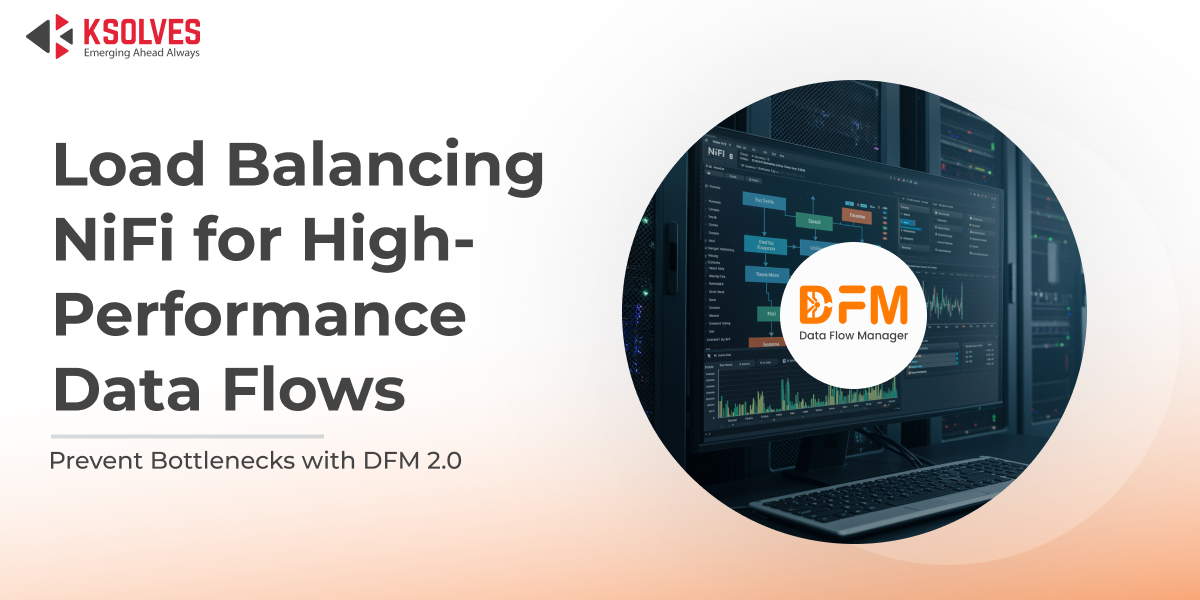
DFM 2.0 provides real-time, centralized dashboards that monitor queue sizes, processor utilization, and node health across the entire NiFi ecosystem.
This unified visibility allows teams to quickly identify hotspots, underutilized nodes, or lagging flows, turning complex cluster monitoring into a single-pane-of-glass experience.
2. Agentic AI Recommendations
With Agentic AI-driven analysis, DFM 2.0 evaluates current flow performance and proactively suggests optimizations.
This includes recommendations for processor scheduling, queue configuration, and flow rebalancing, helping prevent bottlenecks before they impact business-critical data movement.
Also Read: How Agentic AI Transforms Apache NiFi Operations
3. Proactive Bottleneck Mitigation
Instead of reacting to back-pressure alerts after queues have already built up, DFM 2.0 predicts potential congestion using historical and real-time metrics. It then recommends preemptive actions, ensuring FlowFiles move efficiently and processors stay optimally utilized.
4. Seamless Scaling
As workloads grow, DFM 2.0 helps orchestrate additional nodes and intelligently redistribute flows across the cluster. This ensures balanced resource usage and consistent throughput, allowing NiFi to scale horizontally without manual tuning or downtime.
Monitoring & Metrics
Effective load balancing in NiFi starts with continuous, real-time monitoring. Understanding how your flows and nodes are performing helps prevent bottlenecks before they impact operations. Key metrics to track include:
- FlowFile Latency: Measures how long FlowFiles spend waiting in queues, critical for spotting slowdowns early.
- Throughput per Processor: Tracks the rate at which each processor handles FlowFiles, helping identify overloaded or underperforming processors.
- Node Utilization: Monitors CPU, memory, and disk usage across cluster nodes to ensure resources are balanced and efficiently used.
With DFM 2.0, all these metrics are consolidated into a single-pane-of-glass dashboard, giving teams instant visibility across the entire NiFi environment. Automated alerts notify you of back pressure, processor lag, or underutilized nodes, so your team can act proactively instead of reactively, reducing downtime and manual intervention.
Final Words
Load balancing in NiFi isn’t just a technical concern, but it’s a business-critical capability. Bottlenecks slow down data movement, disrupt operations, and can directly impact decision-making.
By combining NiFi’s robust flow capabilities with DFM 2.0’s Agentic AI-driven intelligence, organizations can proactively prevent bottlenecks, optimize processor workloads, and scale seamlessly. DFM 2.0 turns reactive troubleshooting into predictive, automated performance management, ensuring your data flows efficiently always.
DFM 2.0 keeps your NiFi environment fast, balanced, and reliable. No bottlenecks, no guesswork, just smooth, predictable data movement.
Schedule a Free Demo


 1800 121 0218
  +1 (646) 203-1075
  +91 8527471031
 sales@ksolves.com